Ready to switch to a better business phone service?
OUR CUSTOMER SERVICE IS WHAT SETS US APART.
Say goodbye to long wait times and being on hold.
Ready to switch to a better business phone service?
OUR CUSTOMER SERVICE IS WHAT SETS US APART.
Say goodbye to long wait times and being on hold.

Free Guide

WE'RE FLEXIBLE
Our Business Phone Service is whatever you need it to be. We tailor our service to what you need.

WE'RE MOBILE
Connect anywhere, anytime with our CBV Mobility app.

WE'RE COST-EFFECTIVE
Get more functionality and personalization for less.
Chicago's Hometown Phone Company for Business®
Perfect for any size business with BIG goals

Installation

& Money

and productivity

Required

Live Support

Flexibility
With the right partnership (That’s CBV!), a business phone system is easy to set up and simple to manage. Because you’re not investing in the infrastructure on the front end, CBV scales beautifully. Just starting out? Get your business set up for your small team of 3. Growing? Time to add more users! With CBV, you’re only limited by the size of your imagination, and you can add almost limitless users, without changing any of your system design or upgrading equipment. Show me a traditional phone system that can do that!
If you run a business, you know that flexibility is key. What you plan to accomplish and what actually happens aren’t always in sync. What you need changes regularly. Don’t get locked into an expensive and unyielding phone system that can’t grow with you.
Flexibility
With the right partnership (That’s CBV!), a VoIP system is easy to set up and simple to manage. Because you’re not investing in the infrastructure on the front end, VoIP scales beautifully—just starting out? Get your business set up for your small team of 3. Growing? Time to add more users! With VoIP, you’re only limited by the size of your imagination, and you can add almost limitless users, without changing any of your system design or upgrading equipment. Show me a traditional phone system that can do that!
If you run a business, you know that flexibility is key. What you plan to accomplish and what actually happens aren’t always in sync. What you need changes regularly. Don’t get locked into an expensive and unyielding phone system that can’t grow with you.

Mobility
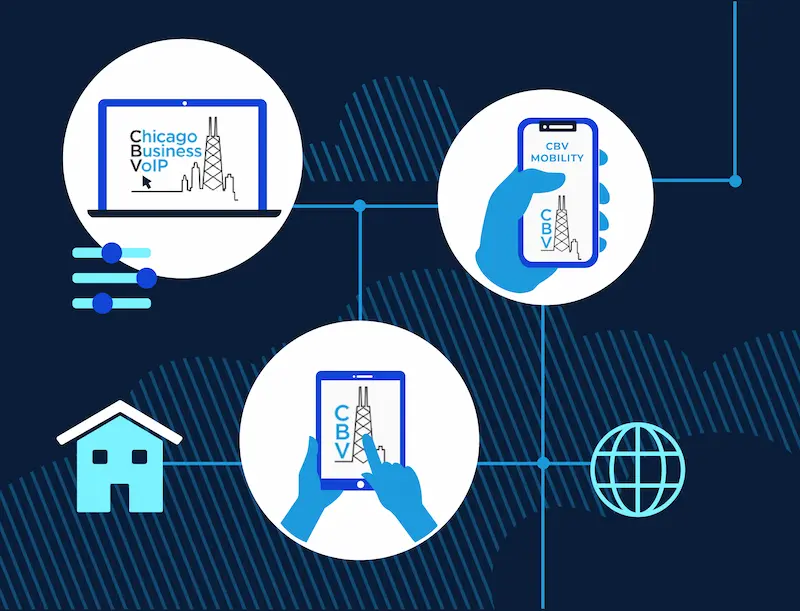
When it comes to staying mobile and working remotely, what seemed impossible just a few short months ago is now the norm. But working remotely doesn’t have to be a challenge. With CBV, you have access to a full suite of virtual office tools, literally at the push of a button. Is your team working remotely? CBV makes “in the office” anywhere you are. Take calls from your home office, on the road, or anywhere at all, without missing a beat.
Mobility is so important that it’s what we named our flagship product: CBV Mobility! With the free CBV Mobility app, you’re connected anywhere, anytime. Use your cell phone like another extension on the system, so your personal number stays private, but you’re always in touch. Transfer calls, park calls, record calls, conference in other callers—all just like you’re in the office. All you need is the internet. That’s CBV Mobility, and that’s why you need VoIP now.
Mobility
When it comes to staying mobile and working remotely, what seemed impossible just a few short months ago is now the norm. But working remotely doesn’t have to be a challenge. With VoIP, you have access to a full suite of virtual office tools, literally at the push of a button. Is your team working remotely? VoIP makes “in the office” anywhere you are. Take calls from your home office, on the road, or anywhere at all, without missing a beat.
Mobility is so important that it’s what we named our flagship product: CBV Mobility! With the free CBV Mobility app, you’re connected anywhere, anytime. Use your cell phone like another extension on the system, so your personal number stays private, but you’re always in touch. Transfer calls, park calls, record calls, conference in other callers—all just like you’re in the office. All you need is the internet. That’s CBV Mobility, and that’s why you need VoIP now.

Cost
You own a business, so you know the cost of business operations can add up—and fast! Voice over Internet Protocol (or VoIP) phone systems cost less than traditional phone systems, despite including more features. Traditional phone companies charge you for every line, require expensive upfront equipment investment, and rack up ongoing expenses including fees, taxes, and long-distance charges.
In contrast, VoIP requires minimal investment, saves you the additional fees, and leverages the Internet service you’re already carrying. If you’re looking for better service with less costs, VoIP is the only way to go. And CBV does business phone service better than almost anybody!
Cost
You own a business, so you know the cost of business operations can add up—and fast! Voice over Internet Protocol (or VoIP) phone systems cost less than traditional phone systems, despite including more features. Traditional phone companies charge you for every line, require expensive upfront equipment investment, and rack up ongoing expenses including fees, taxes, and long-distance charges.
In contrast, VoIP requires minimal investment, saves you the additional fees, and leverages the Internet service you’re already carrying. If you’re looking for better service with less costs, VoIP is the only way to go. And CBV does VoIP better than almost anybody!


60 day Guarantee
No Risk Policy
At CBV, we are so confident in our service and ability to deliver quality business VoIP solutions, we back it with a 60-day money-back guarantee.
CBV will refund 100% of the customer’s “amount due at signing” originally paid to CBV at contract start if we cannot get our service working to the customer’s satisfaction within 60 days of installation.*
*CBV may require the customer to subscribe to our Managed VoIP services offering for quality of service management and troubleshooting network / ISP issues outside of CBV’s control.